

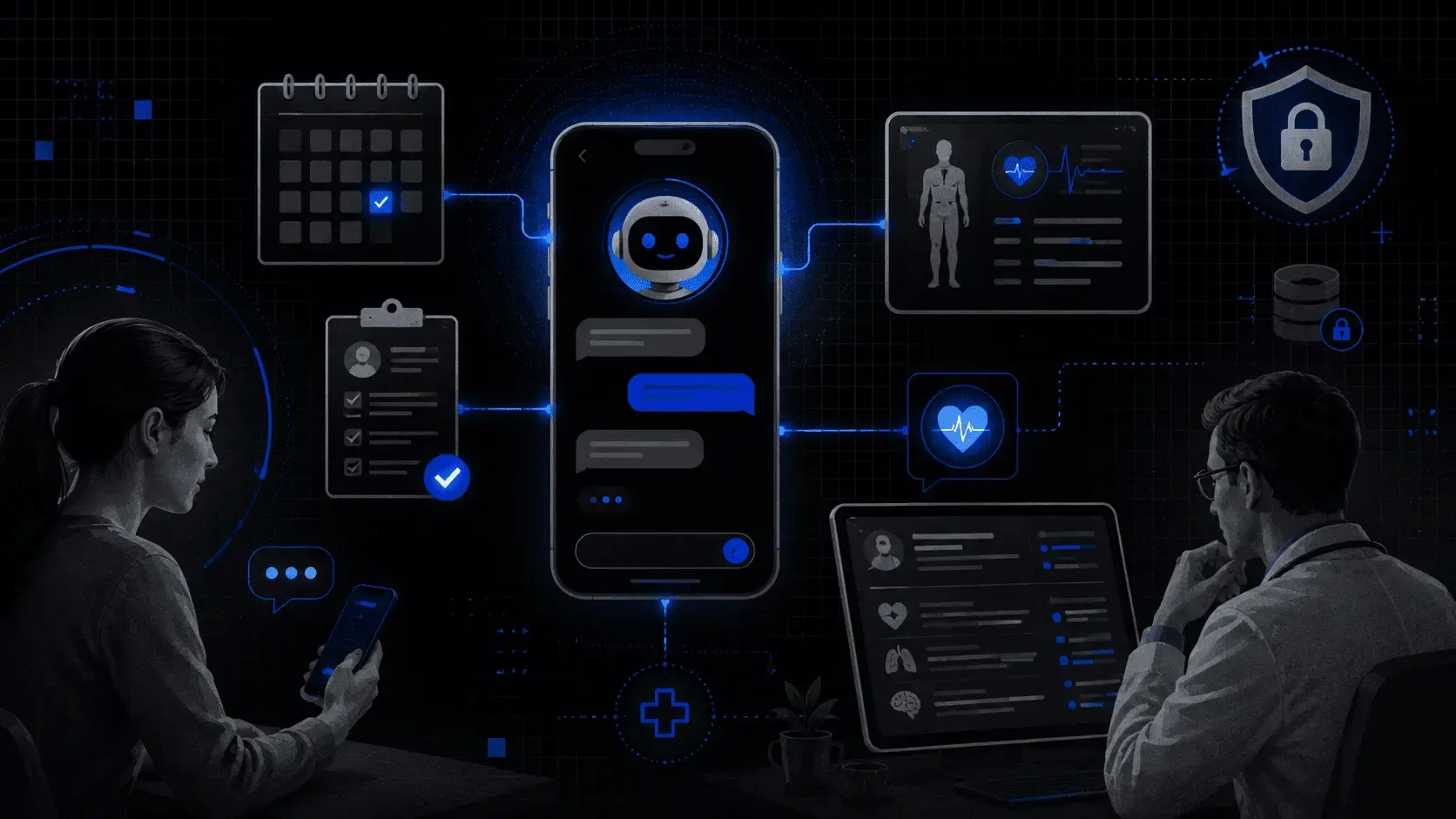
- The ROI from conversational AI in healthcare comes from 3 workflows: zero-wait scheduling, automated pre-visit intake, and proactive post-op follow-up, not symptom checking.
- Build vs. buy: off-the-shelf EHR-native bots are generic by design and create staff workarounds; a tailored agent enforces your specific clinic rules and writes directly to the chart.
- Pre-visit automation cuts 30 minutes of dead time per patient: AI interviews the patient 24 hours before the visit and delivers a structured summary to the doctor before they enter the room.
- The safe deployment model starts with zero-risk, high-volume tasks (parking, co-pay, check-in questions), reducing call volume by 30-40%, then scales to scheduling, then clinical triage.
In 2026, the era of general chatbots is already in the past. Now, it’s time for purpose-driven conversational AI.
Patients who turn to healthcare providers don’t want a virtual friend to chat with. They want to schedule a doctor’s appointment, verify their health insurance portability, or check their post-op recovery. The fact that your chatbot speaks a human language and sounds natural is not a success metric anymore. Now, the key indicator of an efficient conversational AI in healthcare is its ability to reduce the number of phone calls your employees have to answer.
The real problem that healthcare organizations face is staff burnout. If your AI doesn’t address this issue, you should question the feasibility of maintaining such an expensive tool.
3 High-Value Use Cases on Conversational AI Solutions in Healthcare Industry (Where ROI Lives)
When it comes to the use of conversational AI in healthcare, the first thing that you may think about is a symptom checker powered by natural language processing. A lot of patients appreciate such tools. AI helps them quickly define the severity of their symptoms. Thanks to this, they can understand whether they should get a doctor’s consultation immediately or whether they can monitor their condition at home.
But symptom checking is only the tip of the iceberg. The real return on investment from conversational AI in healthcare comes from use cases that help you eliminate administrative bottlenecks and ensure significant cost savings.
Zero-Wait Scheduling Agent for Healthcare Providers
Scenario: It’s 8:00 AM on Monday. 500 patients are calling.
If your patient support team can't handle the call volume, 80% of those patients will hang up and call your competitor.
AI role: You can introduce a text and voice assistant that deals with concurrent calls with zero latency. Answering frequently asked questions is not the only task for advanced conversational AI systems. They also have immediate access to your scheduling and can book, reschedule, or cancel appointments in real-time.
This way, you can capture every lead without hiring a 10-person call center. As a result, you stop losing patients to competitors simply because their human agents answered the phone first.
Pre-Visit Intake
Scenario: A patient arrives early but spends 20 minutes filling out paper forms they’ve already submitted three times.
AI role: You can automate this process. A modern healthcare AI agent texts the patient 24 hours before their visit. It interviews them about their medications and history. Then, AI technology summarizes that data for the doctor, who can review this information before they walk into the room.
- Old way: 20 min paperwork + 10 min data entry = 30 min of “dead” time
- AI way: Pre-visit text ⮕ Automatic summary ⮕ Faster doctor-patient transition and clinical decision support
Thanks to this, your medical professionals start the appointment with structured data, not a stack of paper. The waiting room throughput increases because the intake lag is gone.
Compassionate Follow-Up
Scenario: Patients panic after surgery. If they feel slightly dizzy at 2:00 AM and can't reach a human, they head to the emergency room. These unnecessary in-person visits trigger massive financial penalties for your facility.
AI role: To improve patient outcomes, you should act proactively. Your virtual assistant can initiate a check-in the next morning: "Hi Sarah, how is the dizziness on a scale of 1-10?"
- If the score is low (1-3), it provides reassurance based on the discharge notes.
- If the score is high, it immediately alerts a triage nurse.
With AI, you can reduce unnecessary emergency room readmissions and avoid heavy financial losses associated with hospital readmission rates. Moreover, this approach helps you boost patient satisfaction.
Trust Gap: Why Healthcare Leaders Are Nervous
The elephant in the room isn’t the technology. It is the liability. As recent studies reveal, AI chatbots are highly vulnerable to repeating and expanding on false medical informationembedded in user questions. Such tools were caught inventing dosages and hallucinating surgical procedures. Given this, skepticism is the only rational response for a clinical leader.
If you manage a $50K+ budget, your primary fear is a patient safety event triggered by your conversational AI tool.
Risk: Generic AI Guesses
A standard AI model (like the ones used for writing emails or poems) is designed to be helpful. If it doesn't know an answer to a patient's question, it uses statistical probability to predict what the right answer should sound like. In a medical context, a plausible-sounding guess is a catastrophic failure mode.
Generic AI prioritizes being conversational over being accurate. For your administration, that is a $50 million liability you can't afford to ignore.
There are several ways to address this issue and to minimize the existing risks for the healthcare sector.
Solution 1. Librarian Method
At Akveo, we bridge this trust gap by stripping the AI of its permission to be creative. Technically, this functions as a restricted retrieval system, but you can think of it as a librarian.
- Closed-book testing. We don't let the AI use the open internet. We give it a specific library of your approved clinical protocols, PDFs, and other well-checked documents.
- Zero improvisation. The AI is programmed to answer only if the information exists in the provided documents.
- Human fail-safe. If a patient asks a question that isn't in your library, the conversational AI technology doesn't guess. It's time for human intervention. In this case, your virtual assistant says: "I don't have that protocol on file. Let me connect you with a nurse."
With this approach, you move from "What if the AI lies?" to "Are our internal documents accurate?” It means that you shift the risk back into a domain your healthcare team actually controls.
Solution 2. Data Isolation
The second pillar of the trust gap is data sovereignty. For a HIPAA-regulated entity, the standard AI learning loop is not a working approach. If you use a public conversational AI system, any patient information you input becomes part of the global model’s training set. This can turn into a permanent data safety risk. You should bear this fact in mind from the very beginning of implementing conversational AI, as you can’t "un-teach" a public model once it has ingested your proprietary data.
To solve this, at Akveo, we move from public environments to a private vault (technically known as a virtual private cloud). This functions as a digital clean room where you own the walls, the locks, and the keys.
Instead of your data traveling to the AI, we bring a dedicated instance of the AI into your secure environment.
| Feature | Public AI | Private Vault |
|---|---|---|
| Data Sovereignty | Your data is used to improve the global model. | Your data is isolated. Patient records never leave your server. |
| Security Layer | Multi-tenant (you share space with others) | Single-tenant (only you use the vault) |
| Compliance | High risk of leakage into public answers. | Data storage and processing are HIPAA-compliant. |
As a result, your patient data is never used for public services. The AI enters your secure environment to perform a task (like an intake interview or a scheduling sync) and leaves without taking a single byte of data with it.
If you want to learn how our team ensures regulatory compliance of healthcare software, read this case study.
Healthcare Conversational AI: Build vs. Buy in 2026
By 2026, every major electronic health record provider has integrated a conversational AI assistant into their subscription. On paper, the choice looks simple. Why should you pay for an AI custom build when the free tool is already integrated?
The reality is that the tool that seems to be available for free is often the most expensive option when you calculate the cost of patient friction and administrative workarounds.
Let’s take a closer look at the two options that you have.
Off-the-Shelf AI Assistants for Healthcare Providers
Most EHR-native AI tools suffer from platform bloat. They are designed to be generic enough for a wide audience of medical experts from different locations. To achieve this, they sacrifice specificity for safety.
These conversational AI platforms have a one-size-fits-all logic. If your clinic has a specific rule (like you don’t want to book new patients on Friday afternoons), a generic bot often misses the nuance.
Such conversational AI often feels like a robotic script, which results in lower patient engagement. When the bot can’t handle a slightly complex request, it forces the patient back to a phone queue.
With such a tool, you aren't automating processes. You are adding extra difficulties that your staff eventually has to address manually.
Tailored Conversational AI Assistants for Healthcare Organizations
Instead of a comprehensive platform that tries to do everything, you can build a solution designed to solve your bottlenecks. This tool will act like an extension of your front desk.
- Specific clinic rules. If your policy is "no new patient physicals after 3:00 PM on Fridays," a generic bot can book the slot anyway. A tailored agent enforces your rules with zero exceptions.
- Conversational logic. It doesn't read from a script. It can answer questions about parking, fasting before labs, or bringing ID, and sound exactly like a helpful human employee.
- Zero double work. Off-the-shelf tools often collect information, but require your staff to manually type it into the actual chart later. A tailored tool automatically places the information where the doctor needs it.
| Feature | Off-the-Shelf AI | Tailored Build |
|---|---|---|
| Operations | Ignores custom clinic policies | Enforces your specific rules |
| Staff Workload | Requires staff to fix data errors | Eliminates manual data entry |
| Patient Feel | Frustrating robotic menus | Natural conversation that resolves the issue |
| Financial Impact | Hidden costs in lost patient volume | Direct reduction in front-desk bottlenecks |
Implementation Roadmap: Start Smart
The biggest mistake providers make when implementing healthcare conversational AI is trying to automate everything on Day 1. This all-or-nothing approach creates massive technical debt and terrifies your clinical staff.
Instead of a total system overhaul, we recommend a phased deployment. Start where the stakes are low and the volume is high. Then, scale as the system proves its reliability.
Step 1. Administrative Shield
To begin with, focus on zero-risk routine tasks. You can introduce conversational artificial intelligence to deal with the repetitive questions that clog your phone lines, but require zero medical judgment.
Your introduction of the AI technology can start with patients' inquiries like:
- Where is the patient parking deck?
- Can I pay my co-pay via Apple Pay?
- What do I need to bring for my 10:00 AM check-in?
You will reduce call volume by 30–40%. This will give your front-desk staff breathing room to address complex patient needs without the stress of a constant on-hold queue.
Step 2. Scheduling Engine
Now, you can concentrate on converting leads into scheduling appointments.
Once your AI-driven system has proven it can work with basic data without errors, you can give it access to your calendar. At this stage, the artificial intelligence moves from answering questions to executing transactions.
- It authenticates the patient.
- It checks your healthcare delivery rules (for example, "No new patient consultations on surgery days").
- It commits the appointment directly to your existing healthcare systems.
As a result, you stop losing patients to competitors during after-hours or peak Monday morning surges. Your schedule stays full without a single manual phone call.
Step 3. Clinical Triage (Final Frontier)
At the final step of implementing conversational AI solutions, your priority should be patient velocity and urgency. The AI assists in sorting patient needs based on your approved clinical protocols.
The AI gathers symptoms and history. But you shouldn’t let it diagnose, only categorize.
High-urgency cases require human interaction. They are flagged and pushed to a nurse’s screen instantly. Low-urgency cases are routed to standard follow-up.
In such a way, you maximize your doctors' time while ensuring high-risk patients never fall through the cracks.
By starting with parking and ending with triage, you build institutional trust. Your team sees the conversational AI platform as a tool that helps them, rather than a black box that threatens health outcomes.
Is It Time for You to Adopt Conversational AI in Healthcare?
The goal of clinical AI is not to replace healthcare professionals. The key idea behind conversational AI initiatives is to eliminate the administrative debt between the doctor and the patient.
Custom healthcare software development allows for replacing paperwork with automation. This same logic extends to pharmacy management software development, where automating prescription intake and inventory tracking removes a parallel source of administrative debt. Your clinicians can stop performing the administrative tasks of data-entry clerks and start looking patients in the eye again.
Despite the common concerns that AI will take people’s jobs, high-efficiency systems restore the human element of your practice. By offloading the repetitive tasks to a dedicated agent, you protect your most expensive assets (your doctors) from burnout and your most valuable assets (your patients) from neglect.
To see the first results and enhance patient experience, you don’t need a multi-million dollar AI transformation. You need to fix your most immediate operational bottleneck, such as your phone lines and intake flow.
Ready to start? Contact us! Let’s audit your patient interaction flow. We can detect where patients are dropping out of your funnel and which manual tasks are currently draining your staff’s operational efficiency.
FAQs
What does conversational AI do in healthcare?
AI plays the role of a 24/7 digital assistant that automates high-volume work in a doctor’s office. It can help schedule appointments, fill out digital intake forms, or check in on a patient after a procedure through a simple text or voice chat. This means people get answers instantly without waiting on hold. At the same time, the clinic staff can focus more on taking care of patients in person. It’s all about making your healthcare journey and patient care delivery smoother and faster.
Is conversational AI safe for patient privacy (HIPAA)?
Yes, at Akveo, we treat your privacy with the same level of security that a bank uses for your money. We never use public AI tools (like free versions of ChatGPT) to work with patients’ data. Conversational AI healthcare systems delivered by our team are designed specifically to meet strict healthcare privacy laws. Patient interactions are protected with a secret code (encrypted) when the data is stored and when it is being sent. Thanks to this, it stays between a patient and a healthcare provider.
Can the AI make medical mistakes?
To prevent this, our developers build conversational AI tools for the healthcare sector with strict safety rails. As a result, artificial intelligence never has to guess or improvise an answer. It is allowed only to share information that has been pre-approved by medical experts and doctors. If you ask a question that is too complex or falls outside of its manual, the AI won’t make something up. In such a case, it will immediately pass the inquiry to a real person on the medical team. This ensures that patients always get accurate advice from an expert.
- National Institutes of Health, National Library of Medicine (2024). Chatbots in Health Care: Connecting Patients to Information. NCBI Bookshelf. Accessed May 28 2026.
- Mount Sinai Icahn School of Medicine (August 2025). AI Chatbots Can Run With Medical Misinformation, Study Finds. Mount Sinai Newsroom. Accessed April 21, 2026.
- ECRI (January 2026). Misuse of AI Chatbots Tops Annual List of Health Technology Hazards. ECRI. Accessed April 7, 2026.