

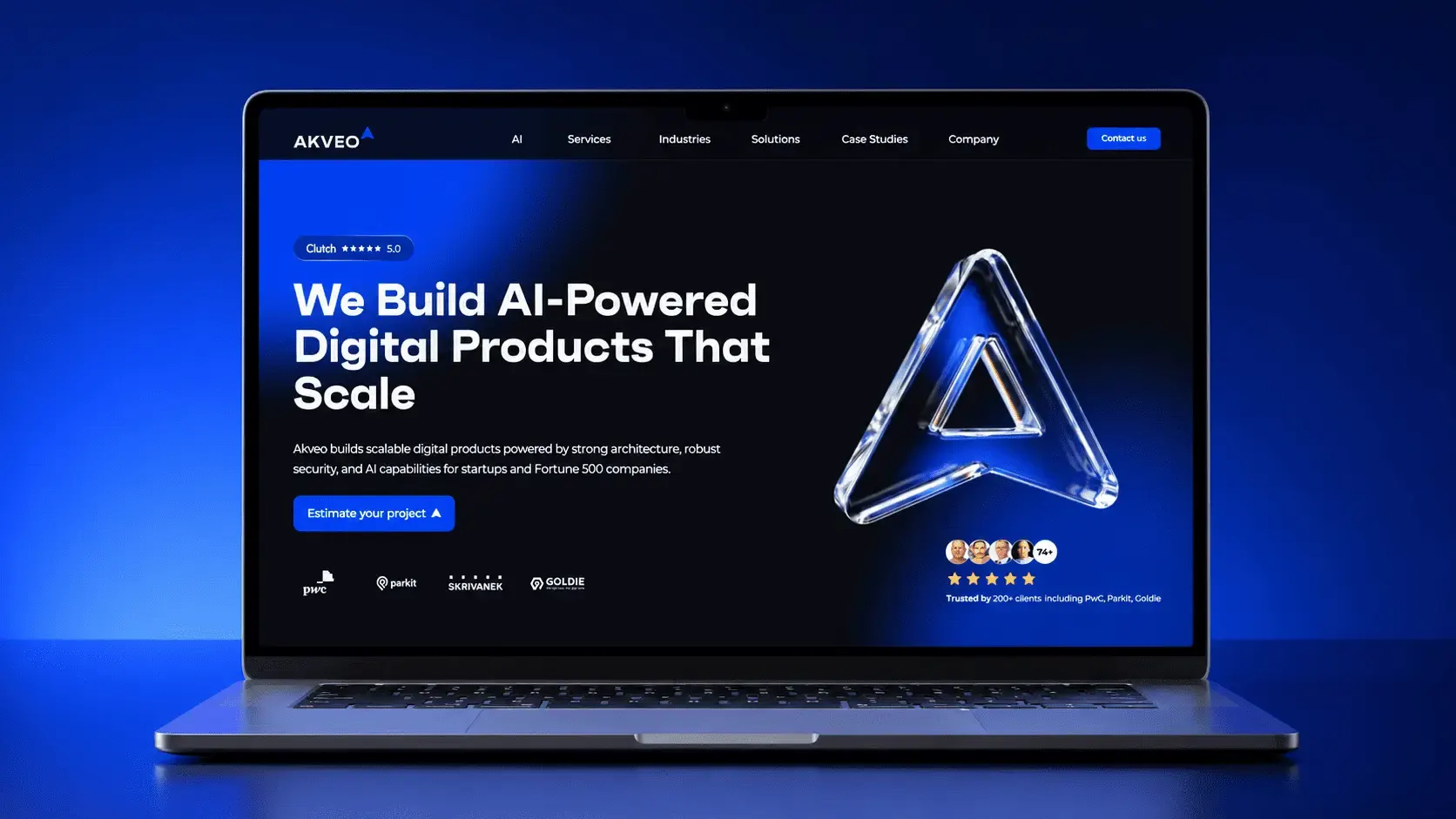
- We managed to achieve 30x faster content publishing and +122% increase in average time on page.
- After 10 years of growth, our Webflow site accumulated legacy code, conflicting styles, slow performance, and a highly manual publishing process.
- Instead of creating every landing page manually, our weblow development team standardized the site using 6 reusable Webflow CMS templates.
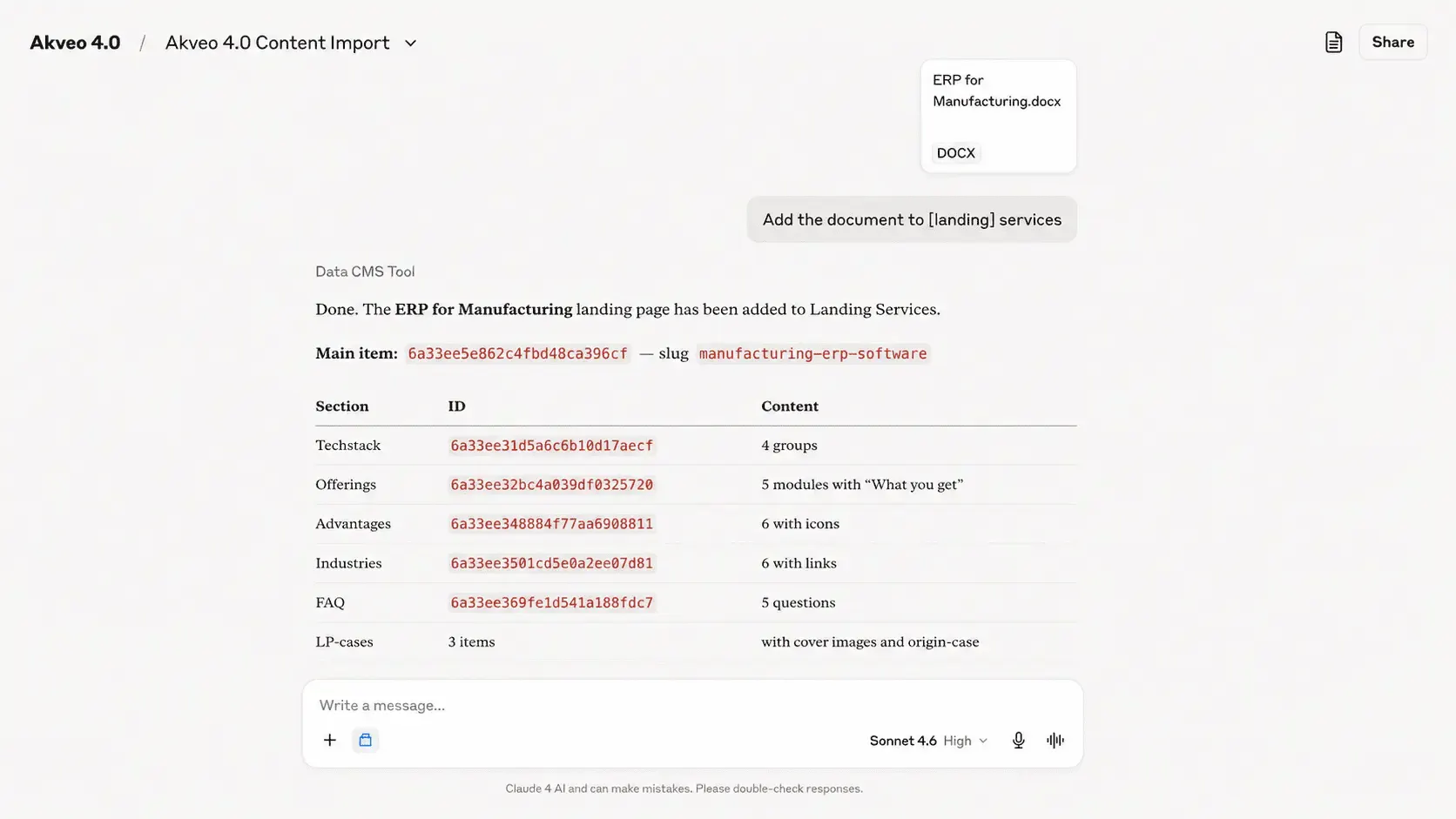
- By integrating Webflow with Claude, content managers can upload a document and publish a formatted page to the correct CMS collection in minutes instead of hours.
- A reverse proxy setup allowed the old and new website pages to run simultaneously while content was migrated gradually.
A good website should be fast, intuitive, easy to understand, and provide a seamless UI/UX experience. When companies launch a new website, they often get these fundamentals right. The challenge comes later.
As the business grows, the website grows with it. New pages are constantly added, new content is published, and different teams contribute to the project over time. What once felt clean and organized can gradually become difficult to maintain. Web pages start conflicting with each other, styles become inconsistent, and managing content takes more effort than it should.
At the same time, new tools and integrations become available while older solutions turn into legacy systems. As a result, what worked perfectly a few years ago may now be preventing the business growth.
When a Good Website Starts Holding You Down
Akveo’s website has been around for 10 years. During that time, many people contributed to it, which is common for a growing company. Over these years, the project accumulated a large amount of legacy code, conflicting classes, and outdated structures. The impact became truly noticeable:
- Pages loaded slower than they should
- Maintaining consistency across the site was difficult
- Adding new content was a highly manual process
- Publishing a single page could take anywhere from 1 to 1.5 hours
- Errors would occasionally appear during updates and content changes
With all these issues in place, the best option was to rebuild the website from scratch with modern tools, automation, and scalable workflows.
Website Redesign and AI-Powered Publishing
Before starting the website redesign, we conducted a thorough audit of the existing platform and gathered requirements from multiple stakeholders.
Some of the key requirements we defined:
- A flexible and modular website structure that would allow new pages to be created quickly without affecting existing content or breaking legacy pages
- Standardized components and design patterns that could be reused across the entire website
- Simplified content management for non-technical team members and automated AI-powered publishing workflows to reduce manual work.
- Faster page load times and a more intuitive user experience and navigation
- A unified structure across all landing pages to ensure consistency in messaging, design, and user experience while making future updates significantly easier
Building a Scalable Foundation
Most of the Akveo’s landing pages were built manually by assembling sections, adjusting layouts, configuring styles, etc. While this approach offered flexibility, it became difficult to maintain as the website grew.
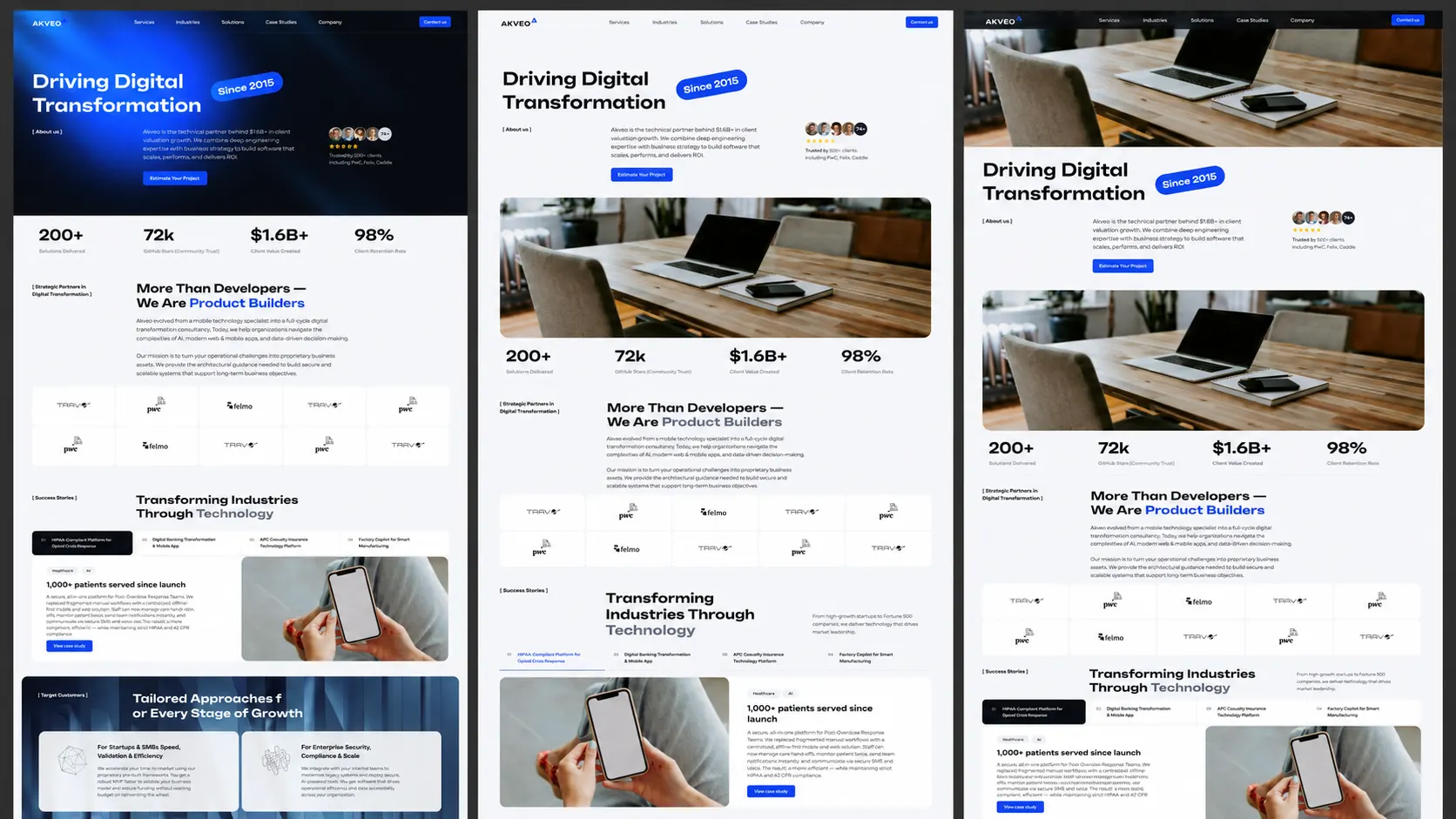
To solve this, we rebuilt the website around 6 standardized CMS-driven templates. Instead of designing and assembling each landing page individually, content is now structured within Webflow CMS Collections and automatically rendered using predefined page layouts.
Now, only a small number of pages like Home Page, About Us, and all Case Studies are maintained manually. The majority of the website is powered by reusable CMS templates.
AI-Powered Content Publishing
We wanted to simplify the content publishing process for the content team, so they wouldn’t have to navigate dozens of fields manually or worry about formatting mistakes.
To do this, we built an AI-based content publishing workflow by integrating Webflow with Claude. Content managers can simply upload a document containing a case study or article and ask Claude to publish it to the appropriate CMS collection. The AI automatically analyzes the content, extracts the required information, and maps it to the correct fields within Webflow.
Thanks to this automation, content that previously took over an hour to publish can now go live within several minutes. Plus, the whole process became more consistent and less prone to human error.
Content Migration
One of the most challenging parts of Akveo’s website redesign was migrating years of content without downtime. After more than a decade online, the website contained hundreds of pages that needed to be preserved, updated, and moved into the new structure.
We couldn’t simply take the existing website offline while the migration was in progress. To solve this, we implemented a reverse proxy setup that allowed both the old and new Webflow projects to run simultaneously during the transition period.
In simple terms, incoming traffic was routed between the legacy website and the new platform depending on which content had already been migrated. This allowed us to move sections of the website gradually, validate everything in production, and significantly reduce migration risk.
Additional enhancements
Akveo’s team introduced a number of other improvements designed to enhance the user experience and website management. The improvements included:
- Improved blog infrastructure with built-in author profiles, source references, and standardized content components such as CTAs, tables, quotes, and callout sections.
- A redesigned homepage focused on clearly communicating Akveo’s product offerings and expertise.
- Analytics and SEO integrations, including Google Tag Manager and Google Search Console to provide better visibility into user behavior, content performance, and search engine indexing.
- A standardized landing page structure across the website, ensuring consistent messaging, design patterns, and conversion paths.
- Homepage experimentation and A/B testing capabilities, allowing us to test different messaging, layouts, and conversion flows with real users and continuously optimize the experience based on actionable data.
Key Achievements
By combining a modern Webflow architecture with AI-powered publishing, we transformed the website into a scalable platform that is easier to manage and grow.
Overall, the website redesign allowed us to achieve:
- 30x faster content publishing and updates thanks to AI-enabled automation
- Reduced manual work for content managers and publishers
- Scalable CMS architecture
- +122% increase in average time on page
- 90+ page speed performance score
FAQ
How much does a Webflow website redesign cost?
The cost of a Webflow website redesign depends on several factors, including the number of pages, complexity of the design, CMS requirements, integrations, etc. A simple redesign may cost a few thousand dollars, while a large-scale project involving hundreds of pages, custom workflows, and automation can require a significantly larger investment. You should define your goals, scope, and technical requirements before requesting a Webflow website redesign cost estimate.
How long does it take to redesign a website?
Small websites can be redesigned within 4-8 weeks, mid-sized marketing websites usually take 2-4 months, and large websites with extensive content migration and custom interactions take up to 6+ months.
How to redesign a website without losing SEO?
To redesign a website without losing SEO, it’s important to preserve existing search equity throughout the migration process. Best practices include keeping high-performance URLs whenever possible, implementing 301 redirects, preserving metadata and structured content, and maintaining internal linking structures.
How do you redesign a website?
A website redesign typically includes auditing the existing website to identify pain points, defining business goals and technical requirements, creating a new information architecture, designing reusable page templates and components, building the new website structure and CMS, migrating existing content, testing performance, and launching the website.
In our case, we chose to rebuild the website using Webflow CMS templates and AI-powered publishing workflows to improve scalability and reduce manual work.
- Webflow (2025). Set Up a Self-Managed Reverse Proxy in Webflow. Webflow Help Center. Accessed June 16, 2026.
- Claude (2026). Webflow Connector | Claude by Anthropic. Accessed June 20,2026