
Estimating and takeoffs
Models read drawings and specifications, count quantities and draft the first estimate, which an estimator then checks and prices.
Half of US construction firms say they use AI tools, yet the Census Bureau counts only one in six construction businesses using AI in their operations. Here is what the 2026 data says, where AI pays off on real projects, and what it takes to connect AI to the systems you already run.
The most consistent public time series comes from the Real-Time Population Survey, a nationally representative survey of US adults. Use rose for six quarters, peaked in early 2026 and then levelled off.
| Q3 '24 | 37.8% |
|---|---|
| Q4 '24 | 33.9% |
| Q1 '25 | 30.9% |
| Q2 '25 | 37.4% |
| Q3 '25 | 37.9% |
| Q4 '25 | 43.4% |
| Q1 '26 | 48.1% |
| Q2 '26 | 43.5% |
| Q3 '26 | 43.7% |
Houzz surveyed 601 US construction and design businesses in mid-2026. Among construction firms, half already use AI, and only one in seven has no plans at all.
Of the construction firms that use AI, 80% use it daily. Estimates and proposals are the most common use in project and client management (87%).
| Use AI-powered tools for business tasks | 52% |
|---|---|
| Exploring AI | 34% |
| No current use or plans | 14% |
Most value today sits in paperwork-heavy workflows around the project, not on the jobsite itself. Pick a project phase to see where AI fits.
Models read drawings and specifications, count quantities and draft the first estimate, which an estimator then checks and prices.
Language models assemble proposals from past bids, scope documents and pricing, so teams spend time on strategy instead of formatting.
Automated checks compare drawings against specifications and flag clashes or missing information before tender.
Daily and weekly reports are compiled from site logs, photos and schedules instead of being written by hand.
Assistants search contracts, RFIs and submittals and answer questions with a link to the source document.
Forecasts are updated from actual spend, change orders and progress data, so overruns show up earlier.
Schedules are checked against resources, deliveries and weather, and conflicts are flagged before they hit the site.
Computer vision on site cameras flags missing protective equipment and unsafe zones for a supervisor to review.
Photos and scans are compared with the plan to show what is actually installed and what is behind.
Defects found during inspections are classified and routed to the responsible trade with photos attached.
Material needs are forecast from the project schedule and past jobs, so orders match the work that is actually coming up.
Stock levels at the yard and on site trigger purchase requests within agreed limits; anything unusual goes to a person.
Materials are tracked from supplier to site, so superintendents can plan crews around what has actually arrived.
Respondents could choose several answers.
| Reporting | 84.3% |
|---|---|
| Document management | 69.4% |
| Cost management and forecasting | 65.7% |
| Contract administration | 63.9% |
| Scheduling | 62% |
| Cost estimation and takeoffs | 59.3% |
| Risk, issues and opportunities | 54.6% |
| Quality assurance and defects | 36.1% |
| Safety management | 32.4% |
Not sure which workflow to automate first?
We review your current tools and data and show which AI use case pays off fastest on your projects.
Materials are where schedule and cash meet. Order too early and capital sits in the yard; order too late and crews wait. Most contractors still manage this with spreadsheets, phone calls and periodic stock counts.
AI inventory management connects three things that usually live in different systems: the project schedule, purchasing and actual stock on site.
The hard part is rarely the model. It is clean item data, integration with the ERP and project management tools the company already uses, and clear rules for when a person must approve an order.

Each step can start manually and be automated once the team trusts the output.
The schedule, bill of materials, purchase orders and stock counts flow into one data layer, so every forecast starts from the same numbers.
The model estimates what each phase and each site will consume, based on the schedule and similar past projects.
An agent drafts purchase orders and delivery slots timed to the work, within the limits the team has agreed.
A buyer or superintendent reviews large orders and anything unusual. Routine orders go through without manual work.
Deliveries, returns and transfers between sites are reconciled automatically, and supplier delays are flagged early enough to re-plan.
Actual usage and delays feed back into the next forecast, so accuracy improves with every project.
Privacy concerns fell from 25.7% in 2025 to 8.3% in 2026. The two samples differ, so treat the change as directional.
| Concerns about accuracy and trust | 29.6% |
|---|---|
| Don't understand how to use it | 15.7% |
| Doesn't integrate with existing tools | 13.9% |
| Lack of skills on the team | 13% |
| Privacy and data security | 8.3% |
| Too expensive | 3.7% |
Depending on which survey you read, construction is either an AI early adopter or barely started. The difference comes down to who was asked and what counts as using AI.

Evgeny Lupanov
Chief Technical Officer
Both are true. Most teams already use a chatbot to draft emails and reports, but that is personal productivity, not a company capability. Value shows up when AI is connected to the systems where project data lives and someone owns the result. That is why most firms are still on stand-alone tools: connecting AI to company data takes clean data and clear limits, not just a subscription.
Start with tasks where a person already reviews the result, such as reports and estimates. Show the source of every answer and track accuracy openly.
Build AI into the existing ERP, project management and document systems through their APIs instead of adding another standalone app.
Clean and connect one data set first, for example materials or RFIs, and prove value there before widening the scope.
Train on the team's own documents and workflows, and name an owner on each project who collects feedback.
“In construction, the fastest wins are not on the jobsite but in the paperwork around it. Pick one workflow your team repeats every week, connect it to the data you already have and measure it. If it doesn't save time within a month, change the workflow, not the model.”
Akveo has delivered software for construction companies in the UK and Australia. These are the systems that AI features plug into.
Design delivered 2x faster than planned
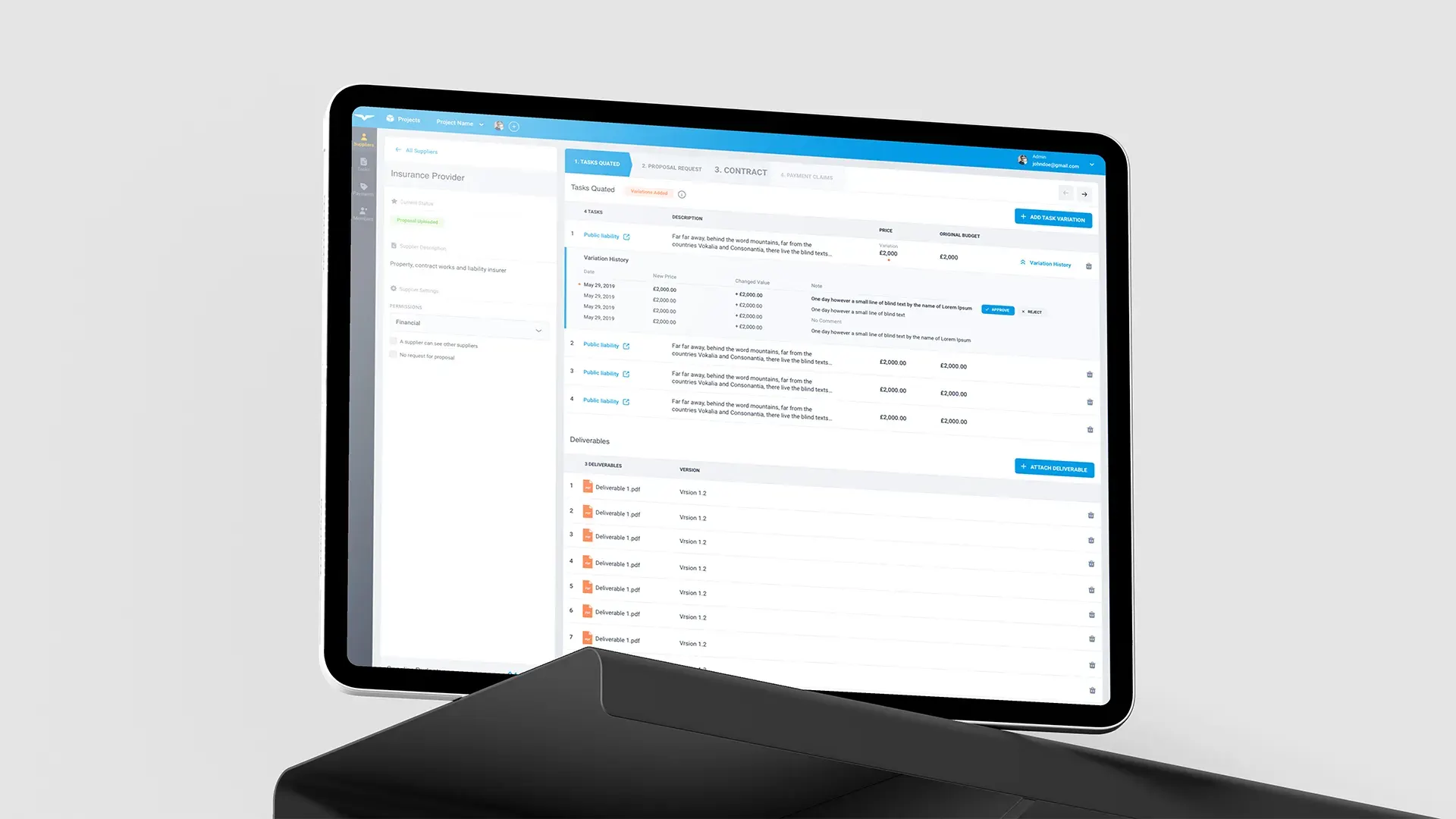
HAAST, a London-based construction services company, needed a web application to connect construction professionals and manage their tasks on a tight budget. Using the Eva Design System, we delivered the design twice as fast as planned with 40% less design effort.
3 platforms from one serverless codebase
We built iOS, Android and web apps that help small businesses keep communication and documents in one place. The app became part of the daily workflow of a medium-sized Australian construction company.

Sources
Tell us about your projects and the tools you use. We will come back with the AI use case that pays off fastest and a rough estimate.